
Plug Ins not Working In Cab
Operator called and Plug Ins inside of cab not working. Also, had a number of errors are were Open Circuit.
Q104F Circuit Breaker was tripped. (Only blue breaker in the cabinet)
Trolley starting, but suddenly stopping
Trolley position could be set during Teach In, because it bypasses all encoders, but after completion and it Normal Operation Mode it would stop suddenly. Found encoder box was not adjusted properly and the gear whell on the encoder box was not turning with trolley winch. Readjust, and had to re-teach.
Could not calibrate Moment sensors
During erection, could not validate 0 moment in Teach In. Both moment sensors were reading 0 mA. If moments sensors are too close or too far away, they will be “out of range” and read 0 mA. Need to be adjusted by gap once the crane is in the air and all of the weights are in.
5.5 mm is what it needs to be set at.
Thanks J MF P
Top Zone Igo T85A
Crane would not accept P1 or P2 in Top Zone.
Need to verify that the crane is reading the correct angle position and it moves with crane. This is displayed on the remote by pressing the arrow keys. If not, need to redo 1.5 times rotation and set origin, reference manual if needed.
Per Tomas, Set P1, set P2 and then press <ENTER> through Stopping Angle. Press <ESC>, <ESC>, ESC>, and turn of remote and then crane power. Restart crane, and it should work.
Assistance Mode Displayed
When starting crane Assistance Mode was displayed on processor. Found 1 of the angle sensors on cathead was backed off 1/2″. Readjusted, all is working well.
Tomas says crane needs to see hook height, trolley position and jib angle. Can see on Erection Aid and J3 inputs (3211)
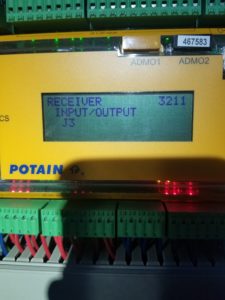
Crane will go into Assistance Mode if 1 of 4 sensors are not reading correctly. 1) Jib Angle – To check, go into Erection Aid (Menu 6), page 1
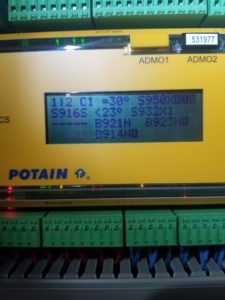
2) Trolley position – Menu 3211 and Input/Output J3 (not J2/J3)
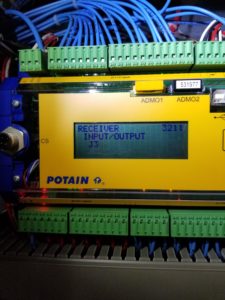
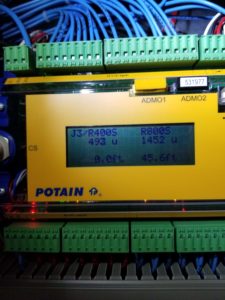
3) Hook position – Same as above
4) Load on hook – Menu 3211 Input/Output J4 B400Nx
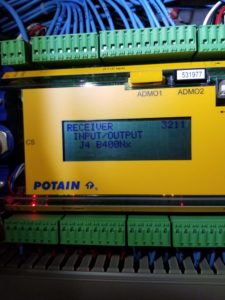
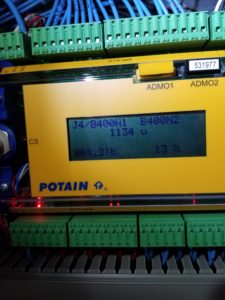
Wrench on the screen
HUP Sensor List
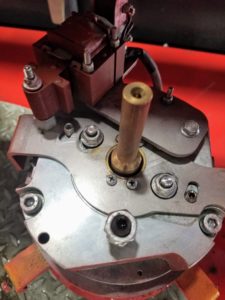
Weathervane on releasing on Hup (Slew Brake not engaging)
Need to raise handle on brake and slide cam plate (lock plate) into position. Lift up on brake handle, and the plate should return to the “unlocked” position automatically.
Video showing proper operation
If not, remove weathervane coil plate with the 2 bolts, but be careful as the return spring is underneath it. Remove the 4 screws holding the lock plate in place and clean bottom of lock plate and surface below it on the brake coil. When reinstalling, make sure that the nut on the weathervane coil is not too tight, as it can interfere with free movement.
Hup 40-30 won’t slew Code 7510
Code 7510
Had customer check power
L1-L2 290V L2-L3 290V L1-L3 290V
Hoist and trolley would work. Turn up power on generator to 476V. All is good at this time.
Adjusting Moment Limit Switch on HDT 80
On the rear of the mount for the dynametric ring located at the rear of the crane, is an adjustment bolt. On the side of the mount, there is an access plate to reach the bolt head. Remove plate, and adjust screw. Clockwise will allow load to mover further out on the jib, Counter-Clockwise will cutout movement sooner.