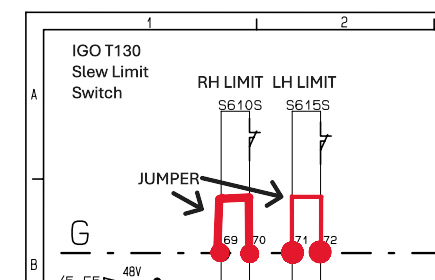
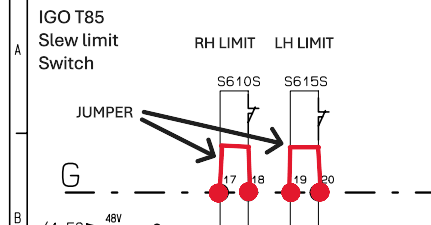
This is the wiring that needs to be jumped in order for the operator to untwist the power cords

Rocky Mountain Crane Service Logs
This is the wiring that needs to be jumped in order for the operator to untwist the power cords
Hup had zoning and slew encoders turned on. Encoders would pair, Zero slew angle would accept and zones worked after being set. Normal operation would resume, but the crane would not slew after being shut down at the base (CCT/SCM computers powered off) and restarted after 10 minutes. Scrolling through the menu zero angle wasn’t present. Operator reset zero angle and slew movement was regained until crane was powered off at the base.
1)Turn off Slewing encoder option, This will tell the CCT to not look at the encoder, the crane regained slew.
2) Check slewing encoders for faults. In this case, the main slewing encoder would flash a single red light.
3) replace slewing encoders and pair
4) turn on slewing encoder option
5)Set zero angle and zones
On the Hup cranes we have slewing limit switches. We also have the option slewing encoders and the collector option.
• The limit switches (S610S and S615S) work only when the options are not enabled (angle, Top Zone and collector)
• If the top zone option is enabled we must also enable the angle option. When the 0° angle is enabled, the slewing movement cuts will be made by the encoders (B260N and B261N) and from 0°.
• If the collector option is activated, we bypass the limit switches, so there is no more cutting of the three turns in the slewing
If the motor encoder is internally shorted, the drive may not operate in partial open loop as it tries to protect itself. If this is the case, unplug the 2 connectors from the slew drive and reprogram parameter 90.46 to Force Open Loop.
The drive will also need to be told not to look for the Encoder.
In this specific case, operator experienced a separate fault showing “Transition 4” . Here is the link to that fault.
https://service.rockymtncranes.com/2024/01/12/transition-4/
When teaching in the MR329 it isn’t required to set the 3dead turn parameter if the block will reach the ground before running out of rope on the drum.
If you previously set the 3 dead turn and need to get rid of the saved information on CSS, unpair the hook height encoder, pair it. Turn off CCS and turn it back on. Teach the zero height, and the upper height and then escape out of the teach in menu. A prompt will warn you on startup that 3 dead turns has not been set.
This is important because if you have a crane that reaches below the base of the crane the 3 dead turn function may preclude you from going low enough.
You can get around this if you want by pulling out rope onto the ground and setting the 3 dead turns but it may screw you on the next jobsite.
While filling the washer bottle, all the fluid would leak out.
On the output side of each washer pump is a check valve.
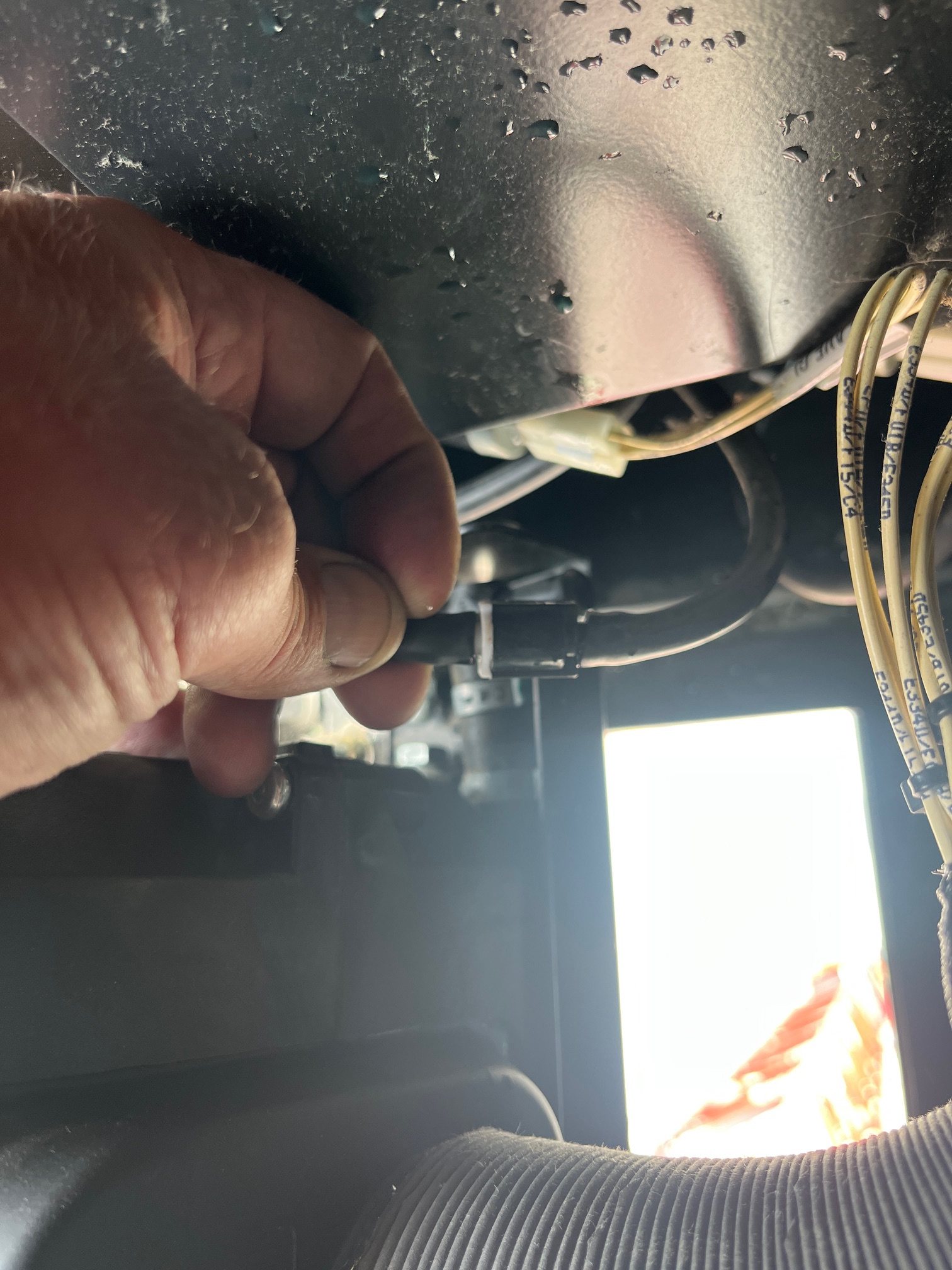 to access the valves the A/C unit must be removed.
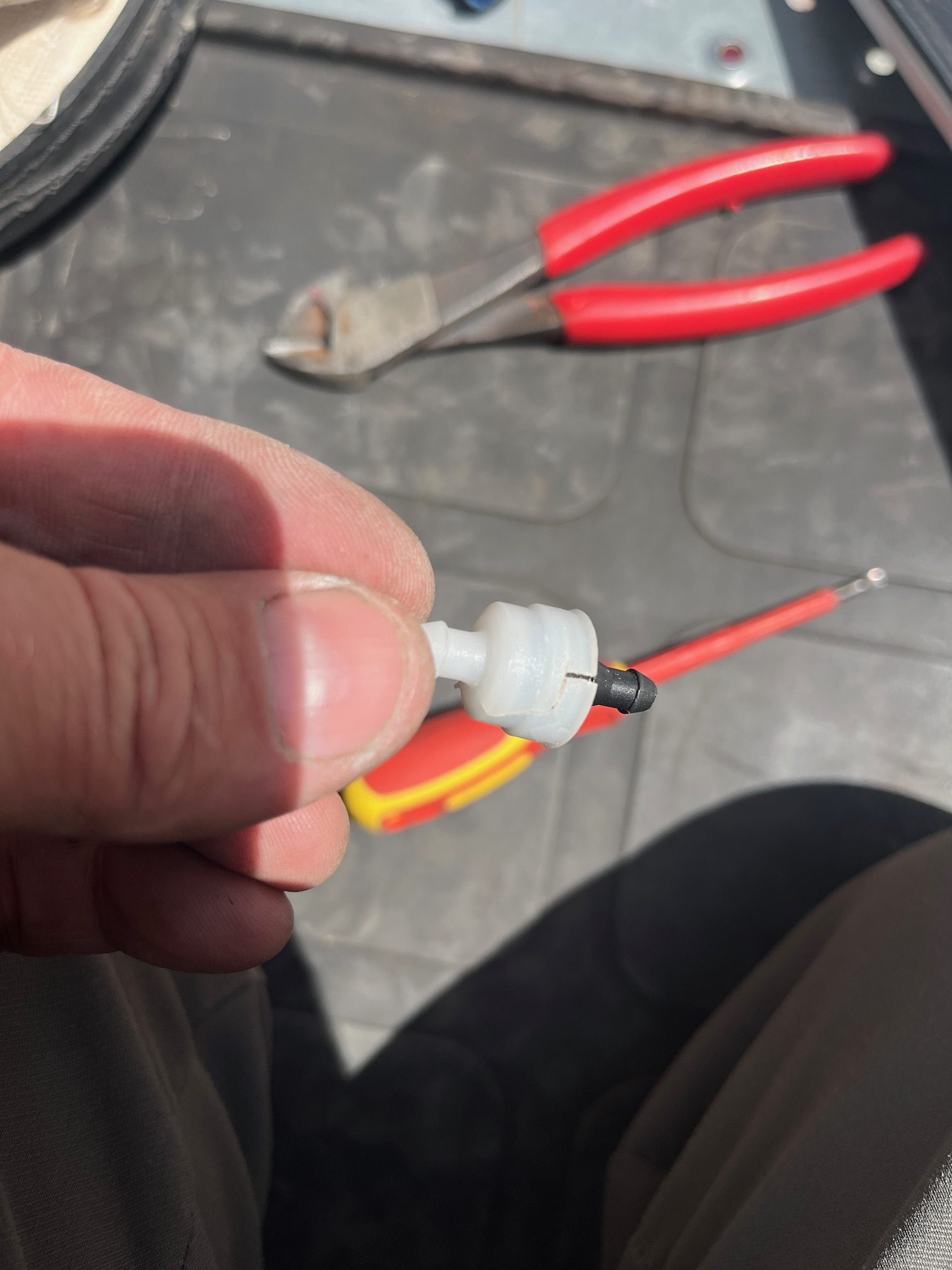
found that the check valves were broken and cracked, presumably from freezing. Replaced the valves ( toyota part # 85321-26020) and washer bottle stays filled.
The GR plug is for the auto greaser option. The auto greaser does not have GR marked on the plug. If the GR plug is not plugged in the slew ring will not be automatically lubricated.


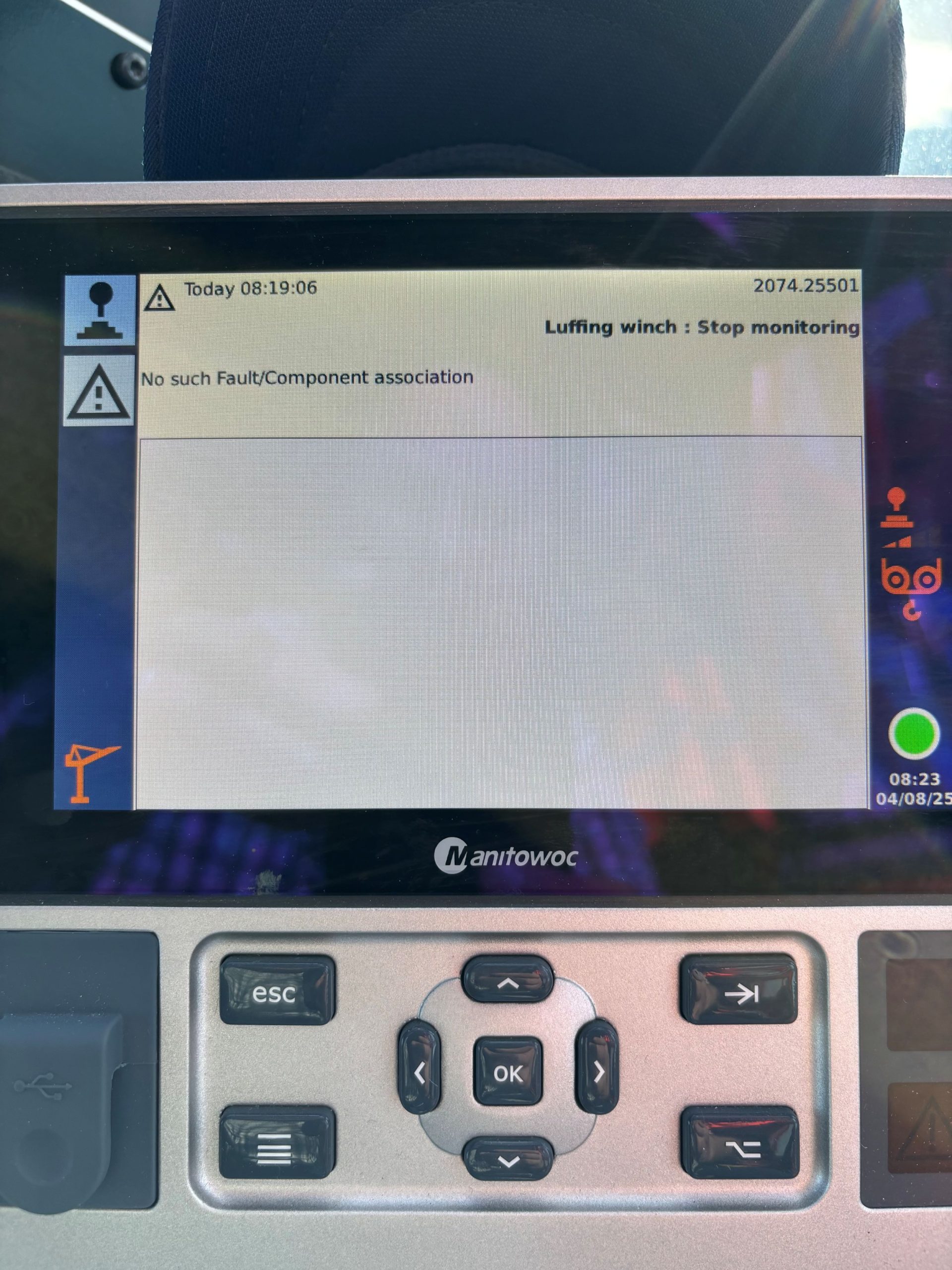
While operating the MR 329 The operator lost boom down function. Fault Code 2074.25501 was listed in messages. The Potain Fault code app had no definition of the fault code. I instructed the operator to turn off the crane and restart it. When the crane was running again the code was cleared and the crane regained boom function.
Attached is the Code and the code description from Potain.
Shunt code for Topsite shunt when activated is 8528
This code can be any code you choose, in an attempt to standardize the shunt code please make it 8528 at the time of setup.
Currently the shunt code for the MDT389 SN: 627012 is 1025