Liebherr 81K.1 – Tech Tip Videos

Youtube Playlist link for liebherr 81k.1

Below is a library of videos. If you have a customer with one of these issues send them the link to our Youtube channel to help free up your time.


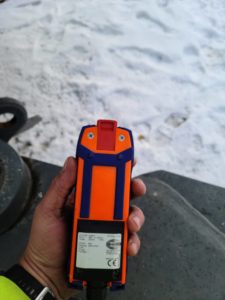
Remote Functions – How to start the crane and what is on the display.  Youtube Link 

Weather Vane – How to put the crane into weather vane mode. Youtube Link

Operator greasing locations – How to grease the slew ring assembly Youtube Link

VFD Error screen location – Where to look for errors codes on VFD’s Youtube Link

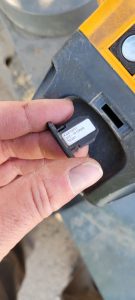
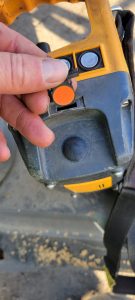
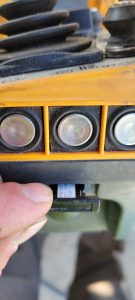
Corded/Wired remote install – How to hook up the wired remote to troubleshoot wireless remote issues Youtube Link

Luffing Jib tip 45° – How to place the remote into the correct setting to raise and lower the jib tip. Youtube Link 

Battery Charger Fuse – Location of the battery charge fuse Youtube Link

Lost memory – reconfiguration – Liebherr 81k.1 Will not respond to remote inputs, it may have lost configuration. This video will show how to reconfigure the crane if that info has been lost. Youtube link

Liebherr Crane Starts, but Will Not Operate

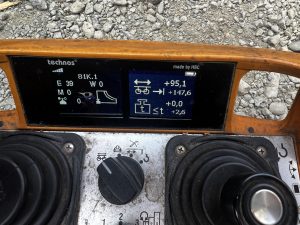
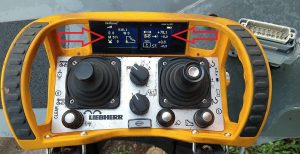
Remote will start the crane, but no functions work.  Display shows Trolley Position, Hook Height and Slew Angle, but no functions work.  See screen:

Note left arrow.  M511 means wind zone is not confirmed (1st clue, see “M” codes in Liebherr folder).  Right arrow indicates trolley position, but does not indicate jib length (the 0.0 below position).  Go into scaling (key switch CCW to scaling) and press F3 for scaling summary.  All icons should have a checkmark next to it.

Liebherr Scaling Screenshot

Any icons that have a “X” next to it need to be reconfirmed.  F1 to previous screen, and F2 to confirm each icon.  Must confirm the OK at the end as well.

Liebherr 30157 Trolley

Trolley not running smooth and making metal on metal sounds.  The way that the trolley is pulled make the inner drivers side one wear out and needs to be replaced.

Liebherr 30157

Operator called and said crane won’t move.  Turns out he turned the key in control panel for the 125% test.  This erases the scaling data.  What you have to do is turn scaling key and go through and make sure everything is check marked and then a check mark at the end and hit enter.  Once this is complete you can switch switch out of scaling and it will work.