Make sure the light tower next to the control panel is assembled correctly .
Swapping Remotes on Liebherr crane
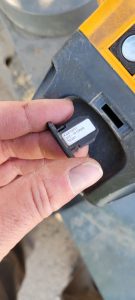
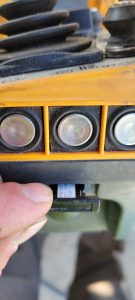
Locate address key on the side of the remote
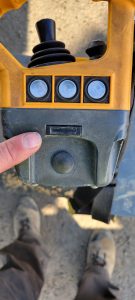
Remove key and insert into new remote, making sure it is in the right direction
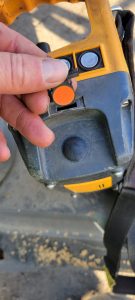
Emergency Stop on Push Button Remote (Liebherr HBC Remote)
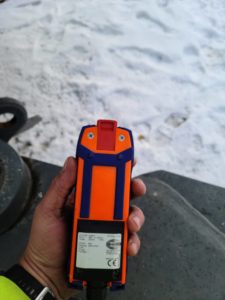
The red blade on the back is E stop
Liebherr 81K.1 Battery Charger not working
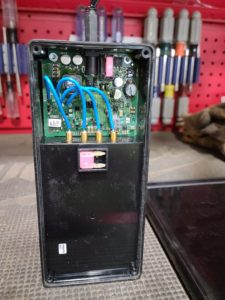
Fuse in back of charger had blown. 4 amp fuse, and there is a spot to place a spare. T9 torx to remove screws
Hydraulic Oil for cranes ISO 46
Wire Rope Replacement
ALWAYS pull wire ropes by hand when replacing. Especially for the initial reeving.
Liebherr 30157 Trolley
Trolley not running smooth and making metal on metal sounds. The way that the trolley is pulled make the inner drivers side one wear out and needs to be replaced.
Liebherr 30157
Operator called and said crane won’t move. Turns out he turned the key in control panel for the 125% test. This erases the scaling data. What you have to do is turn scaling key and go through and make sure everything is check marked and then a check mark at the end and hit enter. Once this is complete you can switch switch out of scaling and it will work.
Liebherr 30157 Remote
Remote keeps kicking out and getting errors. Swapped whole remote and works fine. Going to get antenna extension from HBC to see if it will help signal strength.
Liebherr Login Code
When logging into the diagnostic menu, code is sum of these numbers