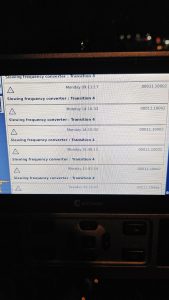
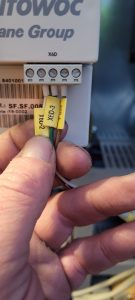
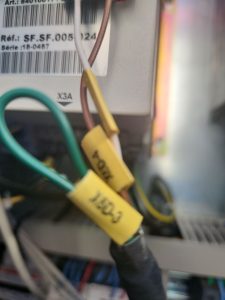
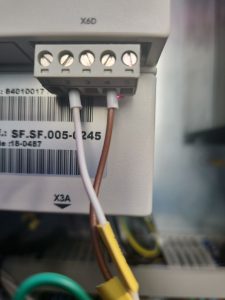
Slew Drive Faults with code 7510 at Start Up

This is similar to the service post found here:

Slew Drive shuts off during acceleration

However in this instance, isolating the Slew Drive by disconnecting hoist drive and trolley drive from the CAN system did not help.  Checked for 60ohms on the CAN Hi and CAN Lo .  This should confirm that the jumpers in both of the erection jumper plugs are there and correct.  Found CANOpen card was not operating correctly.

Unplugged and plugged back in the CANOpen card and plug.  Unplug and replug the memory stick back in.  No change.  Replace memory stick and drive came back up on line.

Disabling AMCS Anti-Collision

After another crane is removed from the job site, this is the procedure to disable AMCS anti-collision system

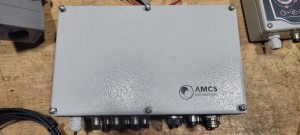
Locate the main AMCS

Switch off the silver toggle

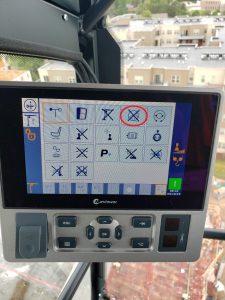
Disable Anti-Collision in the CCS Configuration Menu (an “X” through the icon means its disabled)

Fuel Computer Menu

Start Computer, and choose user Rod Kesler

Click on AFC icon on desktop

Login as user: afc  and password: afc

Click on Setup/Configuration to access all tabs to be edited

Once changes are made, you to send files to outside control box.  Click on Transfer Data, and Transfer All Tables to AFC

Wait for progress bar to complete, and verify changes on control outside


Multiquip generator starts and dies immediately

After cranking the first time, the Overcrank and Overspeed lights come on.  When attempting to restart, only Overcrank and Overspeed lights come on, but the generator will not crank. Opening the control panel, can flip the switch Maintenance mode and generator starts, but will not shut off.  The 15 amp mini blade fuse behind the control panel is blown.

Crane will not accept a code and date shows 1/1/00 and clock showed 00:00

Tried entering the crane code, SCM code, and technician’s code into the crane cab display, but we crane would not accept the code.  CCT and SCM were not communicating, and because the date was incorrect, the crane display would not accept any codes.

Start by switching Q131F off and then back on.  Enter the SCM replacement code into CCT, and the go to Menu 2 and then to Advanced.  Enter New Device and verify serial number and date and time.  Switch Q131F off and back on again, and start crane.

If an incorrect code(s) have been attempted in the crane computer, it will get confused and will not accept any codes.

Liebherr Crane Starts, but Will Not Operate

Remote will start the crane, but no functions work.  Display shows Trolley Position, Hook Height and Slew Angle, but no functions work.  See screen:

Note left arrow.  M511 means wind zone is not confirmed (1st clue, see “M” codes in Liebherr folder).  Right arrow indicates trolley position, but does not indicate jib length (the 0.0 below position).  Go into scaling (key switch CCW to scaling) and press F3 for scaling summary.  All icons should have a checkmark next to it.

Liebherr Scaling Screenshot

Any icons that have a “X” next to it need to be reconfirmed.  F1 to previous screen, and F2 to confirm each icon.  Must confirm the OK at the end as well.