
During dismantle, T130 outer jib stops folding in. All pumps shut off. Check circuit breakers. Q940 Tomas says when oil is cold it can trip the breaker
Hoist drive shuts off immediately after it starts E65 code
When trying hoist or lower line, drive immediately shuts off. Display on drive E65. The drive is not receiving a signal from speed sensors (there are 2 on the motor). Found 2 broken wires at crimped terminals on Speed Card (X3B).
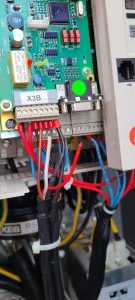
Placing KEB Drive in Degraded Mode
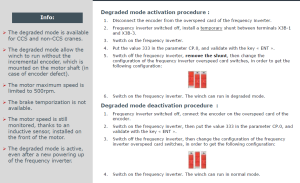
To place KEB drive in a mode where it does not look for speed sensors, must be placed in Degraded Mode. Follow the steps in link below and also steps to put back into normal mode.
Can not apply more than 30% of speed or drive will shut down. (E66 code in degraded mode)
On MDT389, this did not work. Here are the other procedures, per JP.
75HPL Degrade Mode Instructions
Holder – Service Reset
Use the laptop to reset the service reminder. Otherwise need to reprogram parameters in ECU. Once you scan for ECU’s, need to click Get Data for each
Go into parameters and to section 1.1.4 (AHyd)
New Holder (w/ High Flow) 8119 Bit Code
Older Holder (w/o High Flow) 7047 Bit Code
Change language to Language 1 (German), and check parameter 1.4 Telematik should be turned to NO
Click the SAVE button to the RIGHT of Device Data
U213X CanOpen Module Letters corresponding to the LED lights
Fuel Station keeps looping and saying “Invalid Driver”
Powered off the fuel keypad switch under the cover.
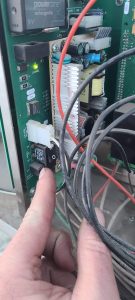
Power off switch in fuel monitor on wall.
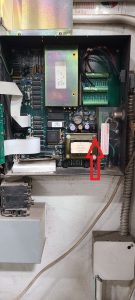
Allow to sit for several minutes, and turn back on.
Igo T85 will not hoist up, only down
Crane will swing either direction, trolley will come in but when out 3/4 of the way trolley stops and drive shows FST (fast stop). Customer accidentally bumped jib switch by battery charger. Should be switched to 3 for full jib.
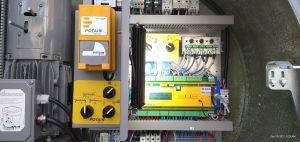
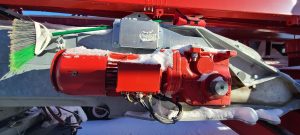
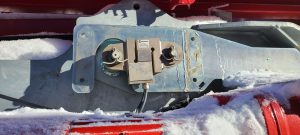
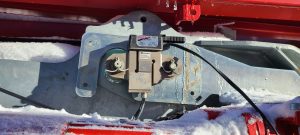
Hup Loadpin and Hoist motor heater locations
Remove the cover from the load pin and place a heater on the back side of load pin (erected)
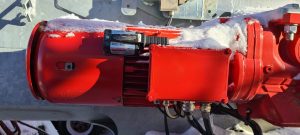
Diesel Pump #1 says “Inactive Selection”
Need to disable pump, and reinstall.
Remove checkmark at “Active”, upload changes. Go back and mark as “Active” and resend changes,
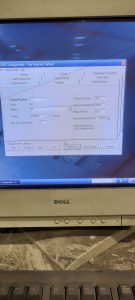
HUP Radio Remote How to check working order of remote
Checking working order of HUP Joysticks
This explanation is not correct. In order to test the switches and joysticks of the remote, you must do the following in order.
- Turn key off
- Depress Emergency Stop Switch
- Press and hold ESC button next to jog dial
- Turn key back on
- Continue holding ESC button until the proper diagnostic screen is displayed
- Twist Emergency Stop Switch until it pops back up
- Now you should have proper display of the working order of the switched and joystick