Crane load indication accuracy

1917.46(a)(1)(ii)

The accuracy of the load indicating device, weight-moment device, or overload protection device shall be such that any indicated load (or limit), including the sum of actual weight hoisted and additional equipment or “add ons” such as slings, sensors, blocks, etc., is within the range between 95 percent (5 percent underload) and 110 percent (10 percent overload) of the actual true total load. Such accuracy shall be required over the range of daily operating variables reasonably anticipated under the conditions of use.

Liebherr Jib pin

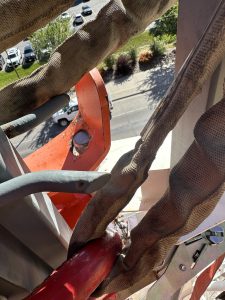
Need to make sure you pull down on the cable that is attached to the jib release pin while folding up jib. It can get stuck and not slide properly and will bend plate. Which won’t latch properly.
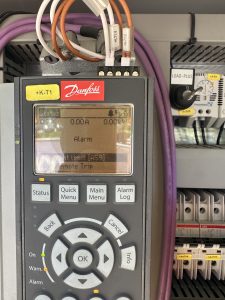
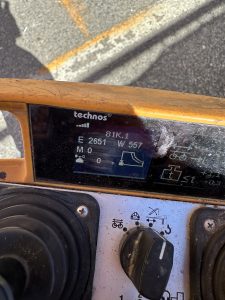
Liebherr auxiliary motor went down.

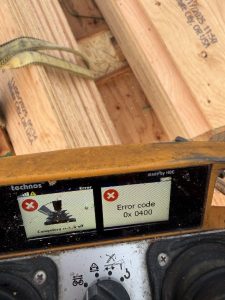
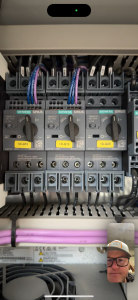
When trying to fold the jib out it would stop and throw an error on the remote E 2651.  Which means Torque limit motor reached.  When using the motor it was putting out 11 to 15 amps before kicking out.  A good motor at full speed puts out 5to 8 amps while working properly.  You can find your amp pull right on the drive    +k-T1.  Replaced aux motor and was drawing 7 amps
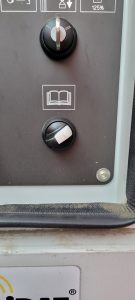
Checking hours of operation on Liebherr 81K.1

Open the side door to access the crane display

Turn the switch that looks like an open book to the right.

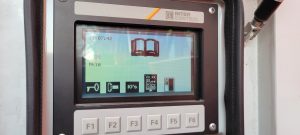
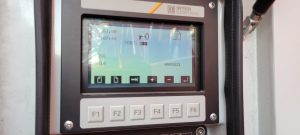
This should be the display

Press the F1 button, and the following should be displayed

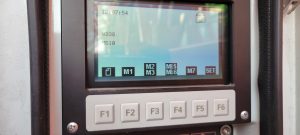
Press the F2 button

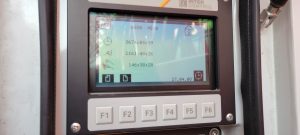
Press the F4 button and crane hours are displayed

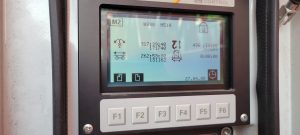
Press F2 again and hours for each motion are displayed


Adjusting Weathervane Cable and Yoke

**This is extremely difficult with crane folded up, should be done with crane erected**

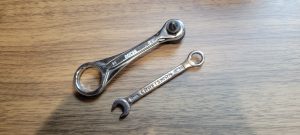
You will need very skinny 8mm end wrench and mini bit ratchet.

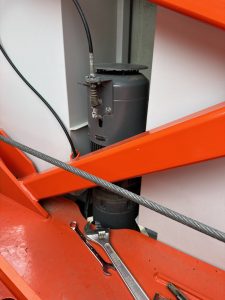
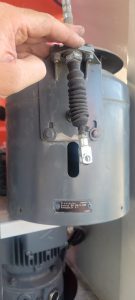
Remove cable clip, weathervane arm (careful to keep the washers) and motor cover (4 phillips or hex head screws)

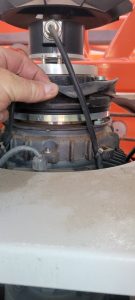
Raise rubber seal to brake coil

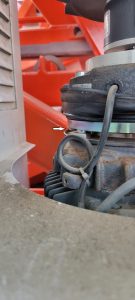
Tighten the 2 screws on the bottom of the yoke to remove excess freeplay.  DO NOT REMOVE ALL FREEPLAY

Reinstall rubber seal in place.  Before reinstalling motor cover, loosen the 3 bolts on the weathervane cable bracket.

The cable and bracket will need readjusted.


Turning on/off Aneometer on Liebherr 81k.1

Turn Dianostic key in Side panel

Enter Code on Screen

Month+Day+Hour+Minute

You have one minute to enter code before it changes to the next minute

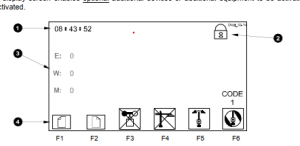
Hit F6 for Set Screen

Push and HOLD for 3 Second F3

This should remove or add X through the Wind Speed Senor

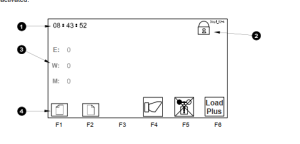
You can then hit F2 to go to next page to change units

You can then hit F2 again to change warning and Load Plus

Liebherr 81K.1 powers on but won’t start

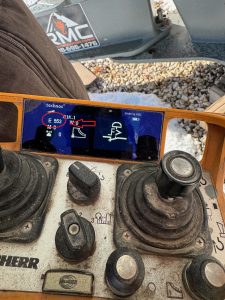
Asked for picture of the display.  Note “E”rror code 553.  Look up error code 553 in file labeled “Diagnostic messages for 81K.


You can break this down by the identification codes at the end of circuit diagrams, but also find this code specifically in manual under “Safety device “Emergency – Stop”

Emergency stop

Door switch contact was open.  Zip tie used to bypass switch had slipped off


Liebherr 81k.1 Radio Remote Receiver

The cord for the antenna got cut and we could not get the receiver to send out a signal.  It has power but on the front of the receiver, there are LED lights.  We had power but not the second light down.  It is red until it hooks up with the remote then it goes green.  We called HBC and they had us remove the cover and check all the fuses there is a very small 1 AMP fuse shown in the picture.  It had a red led next to it which meant it was blown.  We soldered a jumper with a 5 amp fuse around it and it all worked.
It doesn’t matter what length the antenna cable is for connecting to the remote.


Liebherr 81k.1 won’t swing or trolley

The operator called and said the crane would not swing or the trolley have him send a picture of the remote.  IT had E 39 on it.  Looked it up and found that it was in the forbidden zone.  Had to turn key for zoning in the side panel to override the zoning and drive the crane out of the zone then switch the key back to make sure the zoning was back on.