
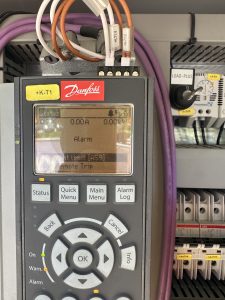
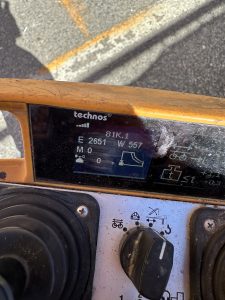
 When trying to fold the jib out it would stop and throw an error on the remote E 2651. Which means Torque limit motor reached. When using the motor it was putting out 11 to 15 amps before kicking out. A good motor at full speed puts out 5to 8 amps while working properly. You can find your amp pull right on the drive +k-T1. Replaced aux motor and was drawing 7 amps
Crane will not move E1514 message – Liebherr 81K.1
Message E1514 indicates faulty display, however it could be that the CANbus system is open, and the display is the first component. Check the “T” which should be moved to the load pin . In this case the pins were bent on the Anemometer, and needed replaced.
Checking hours of operation on Liebherr 81K.1
Open the side door to access the crane display

Turn the switch that looks like an open book to the right.
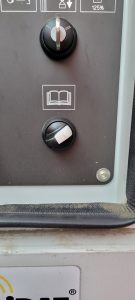
This should be the display
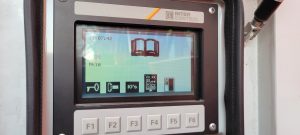
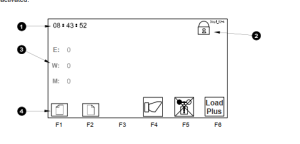
Press the F1 button, and the following should be displayed
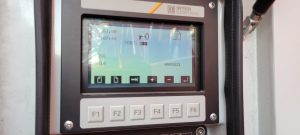
Press the F2 button
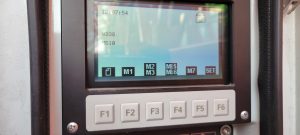
Press the F4 button and crane hours are displayed
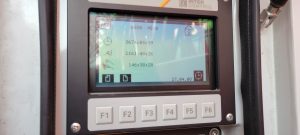
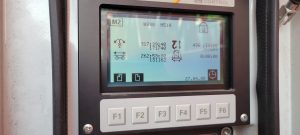
Press F2 again and hours for each motion are displayed
Adjusting Weathervane Cable and Yoke
**This is extremely difficult with crane folded up, should be done with crane erected**
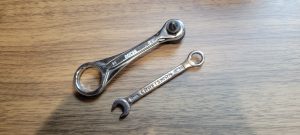
You will need very skinny 8mm end wrench and mini bit ratchet.
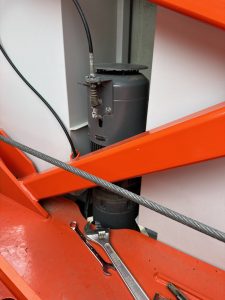
Remove cable clip, weathervane arm (careful to keep the washers) and motor cover (4 phillips or hex head screws)
Raise rubber seal to brake coil
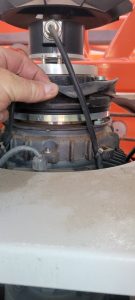
Tighten the 2 screws on the bottom of the yoke to remove excess freeplay. DO NOT REMOVE ALL FREEPLAY
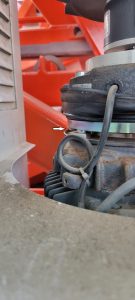
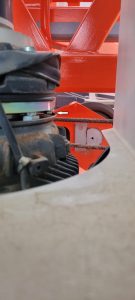
Reinstall rubber seal in place. Before reinstalling motor cover, loosen the 3 bolts on the weathervane cable bracket.
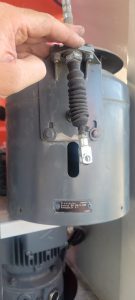
The cable and bracket will need readjusted.
Turning on/off Anemometer on Liebherr 81k.1
Turn Diagnostic key in side panel (Book icon)
Enter Code on Screen
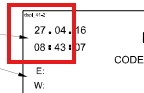
Add these 4 numbers= Code
You have one minute to enter code before it changes to the next minute
Hit F6 to accept code
Lock will unlock and a chime will be audible
Press F2 to access the set Screen
Press F6 to Set
Push and HOLD for 3 Second F3
This should remove or add X through the Wind Speed Senor
You can then hit F2 to go to next page to change units
You can then hit F2 again to change warning and Load Plus
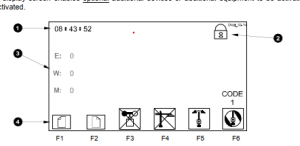

Liebherr 81K.1 powers on but won’t start
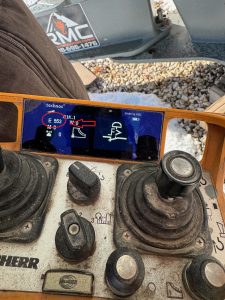
Asked for picture of the display. Note “E”rror code 553. Look up error code 553 in file labeled “Diagnostic messages for 81K.

You can break this down by the identification codes at the end of circuit diagrams, but also find this code specifically in manual under “Safety device “Emergency – Stop”
Door switch contact was open. Zip tie used to bypass switch had slipped off
Liebherr 81k.1 Radio Remote Receiver
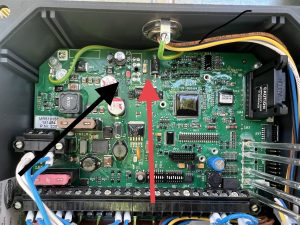
The cord for the antenna got cut and we could not get the receiver to send out a signal. It has power but on the front of the receiver, there are LED lights. We had power but not the second light down. It is red until it hooks up with the remote then it goes green. We called HBC and they had us remove the cover and check all the fuses there is a very small 1 AMP fuse shown in the picture. It had a red led next to it which meant it was blown. We soldered a jumper with a 5 amp fuse around it and it all worked.
It doesn’t matter what length the antenna cable is for connecting to the remote.
Liebherr 81k.1 won’t swing or trolley
The operator called and said the crane would not swing or the trolley have him send a picture of the remote. IT had E 39 on it. Looked it up and found that it was in the forbidden zone. Had to turn key for zoning in the side panel to override the zoning and drive the crane out of the zone then switch the key back to make sure the zoning was back on. 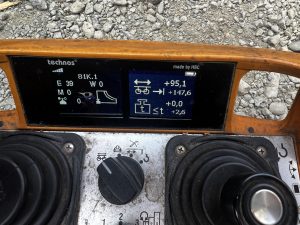
Liebherr 81K.1 – Tech Tip Videos
Youtube Playlist link for liebherr 81k.1
Below is a library of videos. If you have a customer with one of these issues send them the link to our Youtube channel to help free up your time.
Remote Functions – How to start the crane and what is on the display. Youtube Link
Weather Vane – How to put the crane into weather vane mode. Youtube Link
Operator greasing locations – How to grease the slew ring assembly Youtube Link
VFD Error screen location – Where to look for errors codes on VFD’s Youtube Link
Corded/Wired remote install – How to hook up the wired remote to troubleshoot wireless remote issues Youtube Link
Luffing Jib tip 45° – How to place the remote into the correct setting to raise and lower the jib tip. Youtube Link
Battery Charger Fuse – Location of the battery charge fuse Youtube Link
Lost memory – reconfiguration – Liebherr 81k.1 Will not respond to remote inputs, it may have lost configuration. This video will show how to reconfigure the crane if that info has been lost. Youtube link
Liebherr Crane Starts, but Will Not Operate
Remote will start the crane, but no functions work. Display shows Trolley Position, Hook Height and Slew Angle, but no functions work. See screen:
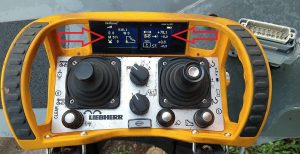
Note left arrow. M511 means wind zone is not confirmed (1st clue, see “M” codes in Liebherr folder). Right arrow indicates trolley position, but does not indicate jib length (the 0.0 below position). Go into scaling (key switch CCW to scaling) and press F3 for scaling summary. All icons should have a checkmark next to it.
Any icons that have a “X” next to it need to be reconfirmed. F1 to previous screen, and F2 to confirm each icon. Must confirm the OK at the end as well.