Jib Retaining Pin Simplified for T85

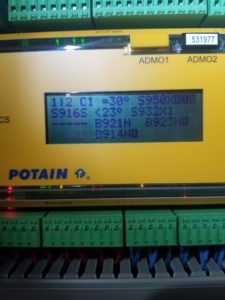
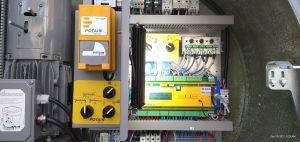
If pin is unlocked jumper 24 to 27 and S916 should display in erection aid.

If pin is locked, jumper 24 to 26, and S918 should display

**Note** If the jib retaining motor inductive sensor B911N (tells the crane the screw is backed off) is faulty, the Erection Screen will still show —-.  Once the S916S has been acted on, it sends power to B911N, and once B911N detects metal, it powers K916A which tells the processor the pin is released.
Top Zone Igo T85A

Crane would not accept P1 or P2 in Top Zone.

Need to verify that the crane is reading the correct angle position and it moves with crane.  This is displayed on the remote by pressing the arrow keys.  If not, need to redo 1.5 times rotation and set origin, reference manual if needed.

Per Tomas, Set P1, set P2 and then press <ENTER> through Stopping Angle.  Press <ESC>, <ESC>, ESC>, and turn of remote and then crane power.  Restart crane, and it should work.

Assistance Mode Displayed

When starting crane Assistance Mode was displayed on processor.   Found 1 of the angle sensors on cathead was backed off 1/2″.  Readjusted, all is working well.

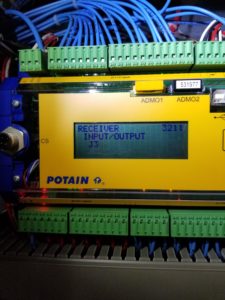
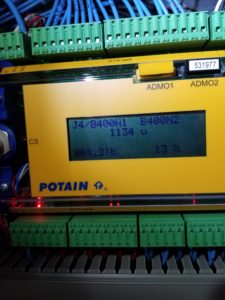
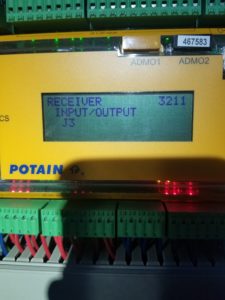
Tomas says crane needs to see hook height, trolley position and jib angle.  Can see on Erection Aid and J3 inputs (3211)

Crane will go into Assistance Mode if 1 of 4 sensors are not reading correctly.  1) Jib Angle – To check, go into Erection Aid (Menu 6), page 1

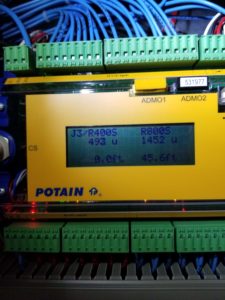
2) Trolley position – Menu 3211 and Input/Output J3 (not J2/J3)

3) Hook position – Same as above

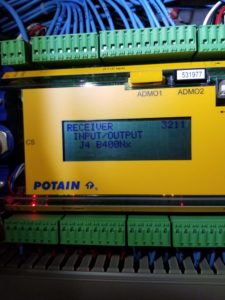
4) Load on hook – Menu 3211 Input/Output J4 B400Nx

Wrench on the screen

T85 keeps shutting off

Fault is 1-230-026, slew encoder failure.  Instead of changing to “disconnected” in the slew drive, changed to “Partially Open Loop”.  Allowed crane to continue operation.

Menu to change parameters in Slew Drive

Menu

Parameters

Complete list

96 System Menu

02 Pass code

Last two are 71

Back

Menu 74

Menu 12

Partially Open Loop