
Hup had zoning and slew encoders turned on. Encoders would pair, Zero slew angle would accept and zones worked after being set. Normal operation would resume, but the crane would not slew after being shut down at the base (CCT/SCM computers powered off) and restarted after 10 minutes. Scrolling through the menu zero angle wasn’t present. Operator reset zero angle and slew movement was regained until crane was powered off at the base.
1)Turn off Slewing encoder option, This will tell the CCT to not look at the encoder, the crane regained slew.
2) Check slewing encoders for faults. In this case, the main slewing encoder would flash a single red light.
3) replace slewing encoders and pair
4) turn on slewing encoder option
5)Set zero angle and zones
Hup Slew limit
On the Hup cranes we have slewing limit switches. We also have the option slewing encoders and the collector option.
• The limit switches (S610S and S615S) work only when the options are not enabled (angle, Top Zone and collector)
• If the top zone option is enabled we must also enable the angle option. When the 0° angle is enabled, the slewing movement cuts will be made by the encoders (B260N and B261N) and from 0°.
• If the collector option is activated, we bypass the limit switches, so there is no more cutting of the three turns in the slewing
Hup 40-30 after swinging shudders to a stop
Check the swing motors o make sure that mechanically there was no failure and the brake are physically releasing.
Update crane CCS software and update each drive
BST21-284-B – New CCS version 1.8.21 and updating of the HUP variable frequency drives_EN (2) (1)
**NOTE** This will delete the serial number and load cell and encoders
Crane load indication accuracy
1917.46(a)(1)(ii)
The accuracy of the load indicating device, weight-moment device, or overload protection device shall be such that any indicated load (or limit), including the sum of actual weight hoisted and additional equipment or “add ons” such as slings, sensors, blocks, etc., is within the range between 95 percent (5 percent underload) and 110 percent (10 percent overload) of the actual true total load. Such accuracy shall be required over the range of daily operating variables reasonably anticipated under the conditions of use.
Top Site & Pairing New slewing encoders on HUP
When setting up top site on a hup or pairing new slewing encoders there is a few more steps that you need to take that doesn’t explain in the manual. I have added some key notes in the top site chapter in the manual to get the job done. top site manual
Hup will not hoist SAFF on drive
Operator lowered the block down, and then the hoist drive stopped. Could swing and trolley, but no hoist or lower function. Drive displayed SAFF. This fault is not in the Hup manual. The fault code app shows the following.
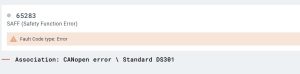
Had the operator verify that the CanOpen card was installed all the way. Had the operator switch ports on the CanOpen card, and the crane began working. Went to the crane and replaced the CanOpen card, and verified both ports are working
New HUP 40/30 won’t go into maintence mode
Tried using Crane CCS code to get into maintence mode and it remains locked.
Must use technican CCS code to get to that menu
See attached for Access rights for either Crane code for Technican Code
Hup Time & Date show 0
Time shows 12:00AM and date shows 1/1/00. Fault (00024.00083) show SCM date and time incorrect.
Enter Mounting Menu (6). Enter System Date Menu (5) Reset date and time.
This is for older HUP’s that use 4 digit password.
Hup crane wont fold to weathervane
After service and teach-in of a Hup 32-27 The jib was required to be folded for weathervane. Went through the book to confirm the steps were completed in order and done correctly.
The crane would fold the jib tip but not the complete jib. A red x would appear when weathervane target was selected.
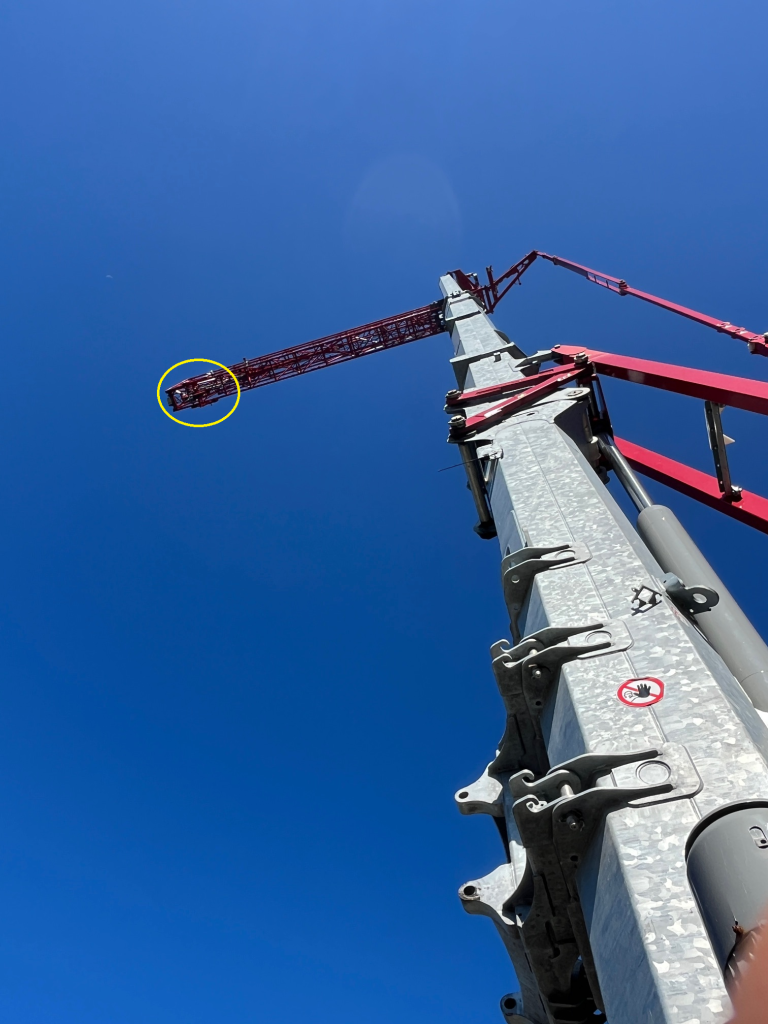
The image for the Trolley position if glanced at quickly is difficult to decern the correct trolley placement. 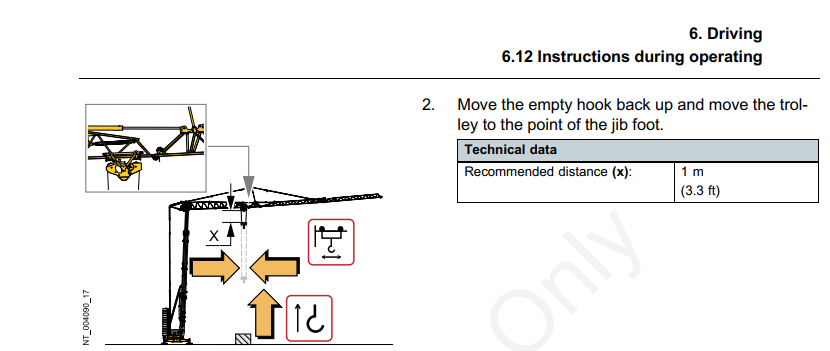 Note: The trolley must not be in the transport position.
Trolley in, until the trolley is completely inside the first jib section. This will allow the jib to fold for weathervane.
3381 code on Slew Drive
According to ABB drive manual
Code: 3381
Fault: Output phase loss
Programmable fault: 31.19
Probable Cause: Motor phase loss
Motor circuit fault due to
missing motor connection (all
three phases are not
connected).
What to do: Connect motor cable.
K600M contactor was not energizing