How to fold out jib on HUP as long as it has new software update when the crane is folded up or axles. Note that support is needed to be able to do this at the end of the first jib section.
Also attached is how to fold out without new software

Rocky Mountain Crane Service Logs
How to fold out jib on HUP as long as it has new software update when the crane is folded up or axles. Note that support is needed to be able to do this at the end of the first jib section.
Also attached is how to fold out without new software
After software upfate, in which SCM and CCT were erased, crane would not accept Zero Load during teach in. Need to repair loadpin, and re teach Zero load.
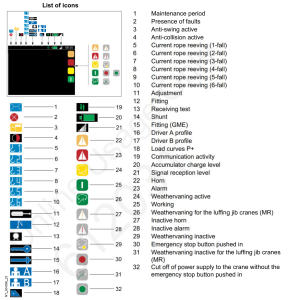
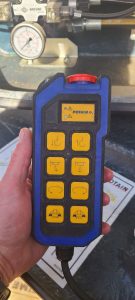
Customer was operating MDT crane with remote, but all functions were slow. Had the following icon on the display of the remote:

Crane was in P+ mode, which allows for greater capacity, but slows function. On the remote this is controlled with ” A-B ” switch.
In the cab this is controlled by the gray button on the top of the left joystick.
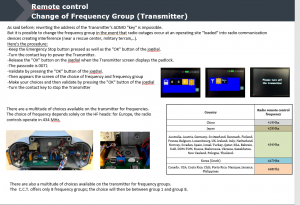
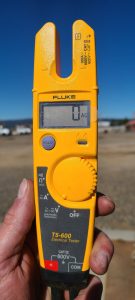
Turn multimeter to the V setting for voltage (If your meter differs, choose the V with the wave symbol and range to 500V)
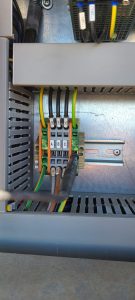
Locate the G4 junction block on the right side of the control panel above the circuit breakers on the bottom. Install black lead from your meter into the green and yellow block
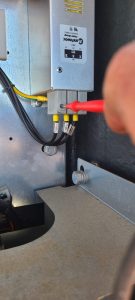
**CAUTION** only hold the red test lead by the plastic portion near the wire lead. You are checking high voltage and high amperage and injury could result.
Locate the filter in the right of the of the control panel. It is labelled C100F
Test voltage of L1 to Ground

Test voltage of L2 to Ground

Test voltage of L3 to Ground

Test voltage of L1 to L2
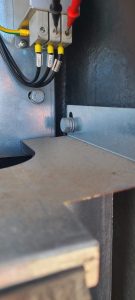
Test voltage of L2 to L3
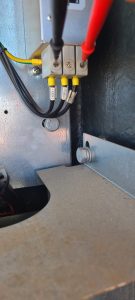
Test voltage of L1 to L3
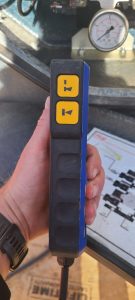
The top button is the start button (line with horn icon)
The bottom button is the horn only

The top button is the swing brake
The bottom button is the rope reeving change button

The toggle switch is for erection and work mode (to the left is jib, right is mast, center is work)
The red button is the emergency stop (its spring loaded and should pop back up after being pushed)
Top series of buttons is hoist
2nd from the top is trolley
3rd is swing
4th is travel
Change the parameter in the slew drive to warning instead of fault.